

Automated Backup & Recovery System with 3-2-1 Strategy
Project Overview
The purpose of this project is to implement a professional-grade backup and recovery system for a small business, ensuring that critical data and user accounts can be restored quickly and reliably in case of failure, ransomware, or accidental deletion.
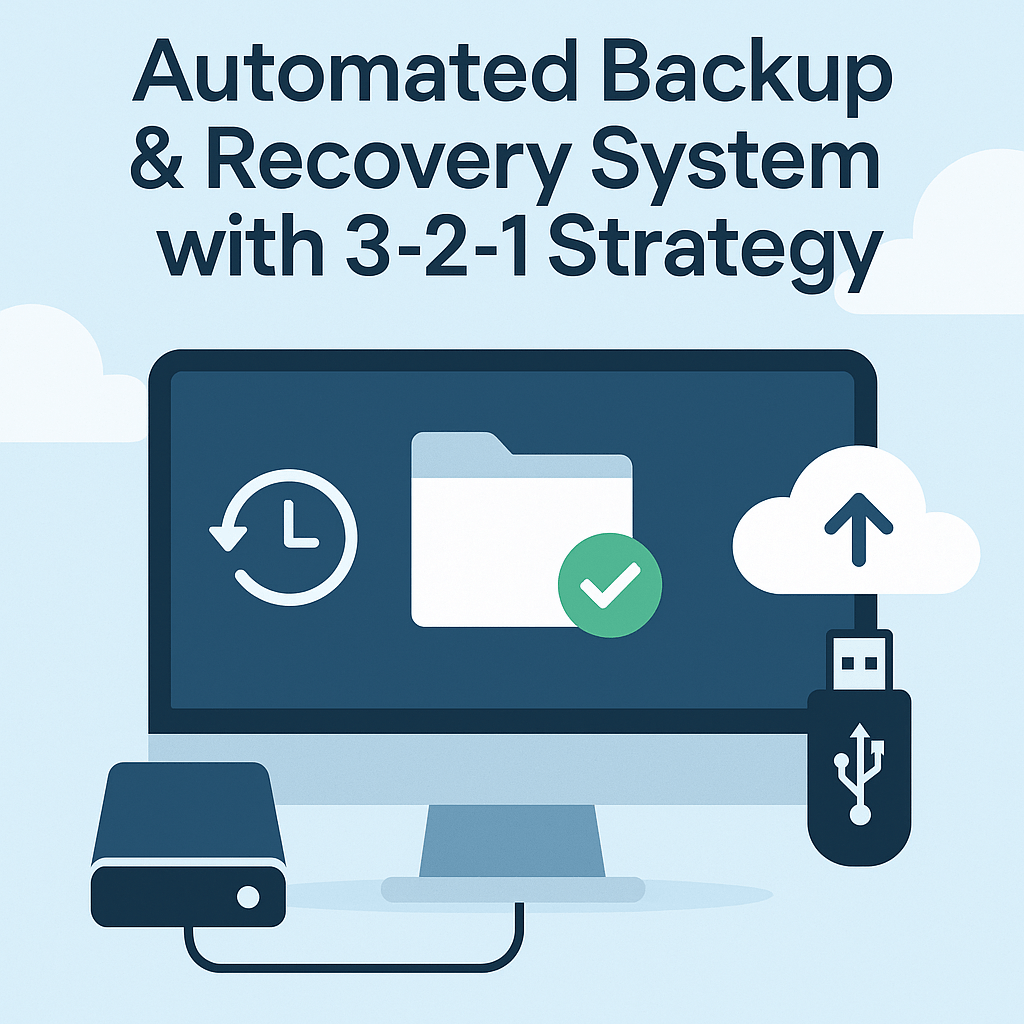
🎯 Goal: Apply the 3-2-1 backup rule (3 copies of data, 2 types of media, 1 offsite) using Windows Server Backup, external drives, and offsite replication to protect business continuity.
This project extends the infrastructure from Project 1 (entreprise.local)
It targets production-ready disaster recovery, not just testing
Uses:
Windows Server Backup
External Disk or secondary VM
Offsite copy (e.g., via script to cloud folder or removable USB)
VMware Workstation used for virtualization
Real-world small business scenario
🧠 Supervision: Project completed under the guidance of Eric Mulumba Lukoji, Senior IT Architect (15+ years experience in infrastructure resilience and data protection).
Step 1 – Enable Windows Server Backup
Goal: Install the feature required for backup operations.
Actions:
Open Server Manager ➜ Add Roles and Features
Add feature: ✅ Windows Server Backup
Step 2 – Configure Local Backup (Full System)
Goal: Schedule daily backups to a second internal disk or external USB.
Actions:
Open Windows Server Backup
Click “Local Backup” ➜ “Backup Schedule”
Select:
Full Server (Recommended)
Schedule: Every day at 7:00 PM
Destination: Secondary internal disk (e.g., D:\Backup) or USB
Step 3 – Create an Offsite Copy (3rd Copy)
Goal: Apply 3-2-1 strategy by replicating backup offsite.
Actions:
Use a PowerShell script to copy backup folder to:
External encrypted USB
Or mapped cloud-synced folder (e.g., OneDrive Business or AWS CLI)
powershell
$source = "D:\Backup" $destination = "E:\OffsiteBackup" # USB or mapped drive Copy-Item -Path $source -Recurse -Destination $destination
Schedule this script via Task Scheduler
Step 5 – Automate Email Notification (Optional)
Goal: Notify admin if backup failed or succeeded.
Actions:
Use Event Viewer Task or script to trigger email if error event appears in “Backup” logs
Example PowerShell snippet:
Send-MailMessage -From "backup@entreprise.local" -To "admin@entreprise.local" -Subject "Backup Report"
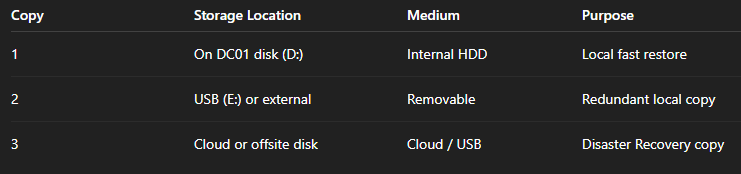
🔄 3-2-1 Backup Strategy Breakdown
⚙️ Automation Tips
Backup logs stored in:
C:\Windows\Logs\WindowsServerBackupSchedule validation tasks in Powershell:
wbadmin get status
List available backups in Powershell:
wbadmin get versions
Restore system state in Powershell:
wbadmin start systemstaterecovery -version:<versionID>
Conclusion
This project ensures that your business IT environment remains recoverable under any condition. With a 3-2-1 strategy:
✅ Data Loss is minimized
✅ Downtime is reduced
✅ Compliance and audits are simplified
🛡️ This type of setup is used daily in SMBs and NGOs to protect HR files, accounting data, and client records.
Popular Projects
What is Cloud Computing ?
Cloud computing delivers computing resources (servers, storage, databases, networking, and software) over the internet, allowing businesses to scale and pay only for what they use, eliminating the need for physical infrastructure.
AWS: The most popular cloud platform, offering scalable compute, storage, AI/ML, and networking services.
Azure: A strong enterprise cloud with hybrid capabilities and deep Microsoft product integration.
Google Cloud (GCP): Known for data analytics, machine learning, and open-source support.
