

Event Monitoring and Real-Time Alerting for Security and Compliance
Project Overview
The purpose of this project is to implement advanced event monitoring and automated email alerts for key security events like failed logins, GPO changes, and sensitive file deletions in a production-like domain environment.
🎯 Goal: Ensure security compliance by detecting suspicious activity and notifying IT teams in real time.
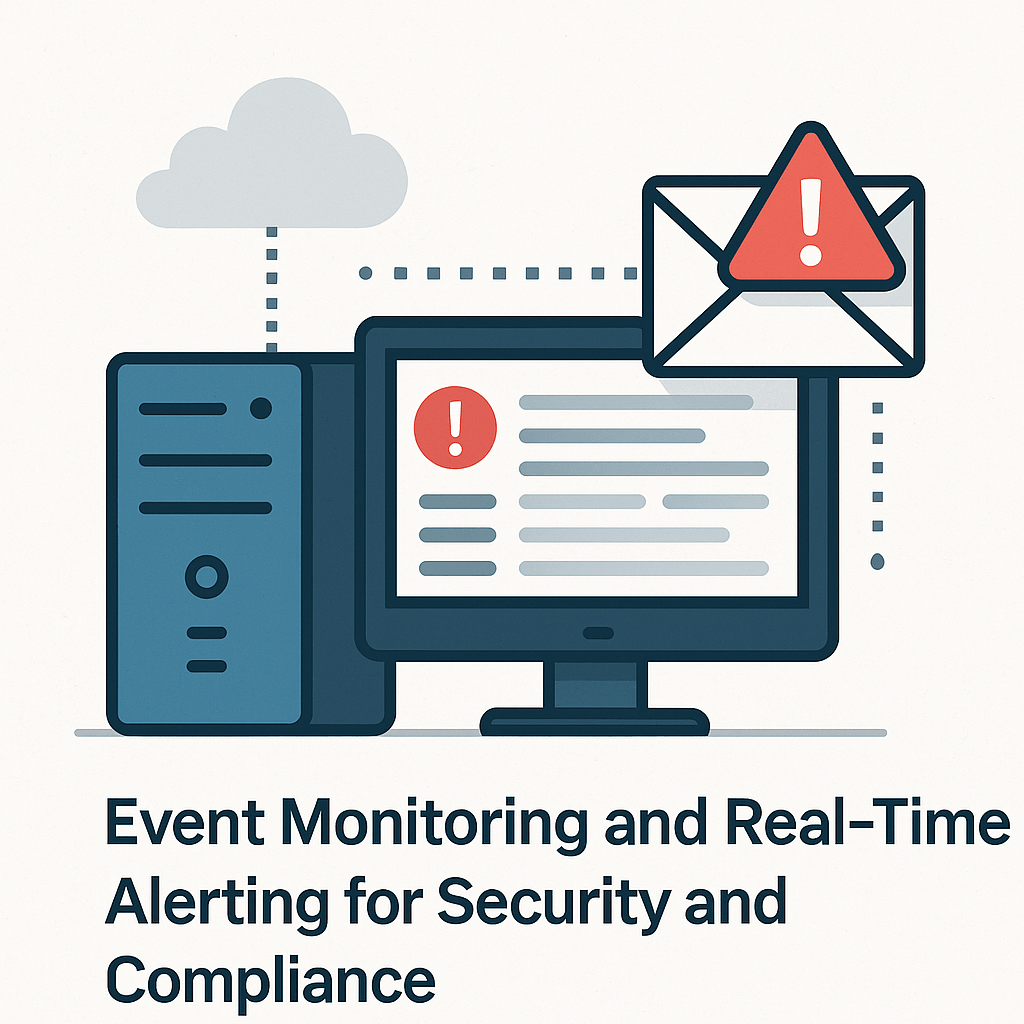
This is a realistic infrastructure setup for a small business, extending from the domain entreprise.local deployed in previous projects.
Windows Server 2022 (DC01) and Windows 10 clients (e.g., PC01).
All machines are connected via VMware Workstation on the same internal network.
Monitoring targets: Domain Controllers and User PCs
🧠 Supervision: This infrastructure was implemented under the mentorship of Eric Mulumba Lukoji, Senior IT Consultant (15+ years in infrastructure and security auditing).
Step 1 – Enable Advanced Audit Policy Configuration
Goal: Define granular audit rules for user activity and security changes.
Actions:
On DC01 ➜ Open Group Policy Management Console (GPMC)
Create GPO: GPO_SecurityAudit
Edit ➜
Computer Configuration ➜ Policies ➜ Windows Settings ➜ Security Settings ➜ Advanced Audit Policy Configuration
Enable these audit policies:
Logon/Logoff Events
Object Access
Policy Change
Directory Service Access
File System Access
Step 2 – Apply Audit GPO to Domain Controllers and Clients
Goal: Make sure auditing rules apply to all critical machines.
Actions:
Link GPO_SecurityAudit to:
OU: Domain Controllers
OU: Staff Computers (or default Computers OU)
Run gpupdate /force on each machine
Step 3 – Configure File Access Audit on Sensitive Folder
Goal: Track file deletion or access within a key directory.
Actions:
On DC01, right-click folder C:\SensitiveData ➜ Properties ➜ Security ➜ Advanced ➜ Auditing
Add: Everyone ➜ Delete + Read + Write ➜ Success/Failure
Step 4 – Set Up Event Viewer Custom Filters
Goal: Focus on critical logs only.
Actions:
Open Event Viewer ➜ Custom Views ➜ Create View
Filter by:
Log: Security
Keywords: Audit Failure
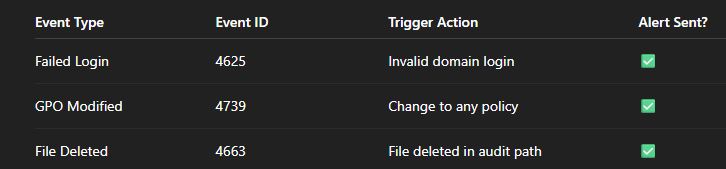
Event IDs:
4625 ➜ Failed logon
4739 ➜ GPO modification
4663 ➜ File deleted
Step 5 – Install and Configure SMTP Relay (Local Email Test)
Goal: Prepare the server to send alerts by email.
Actions:
Install SMTP server feature:
powershell
CopierModifier
Install-WindowsFeature SMTP-Server
Configure SMTP relay to allow local sending to external inbox (Gmail or company inbox)
Step 6 – Create Task Scheduler for Real-Time Alerts
Goal: Trigger email when suspicious event occurs.
Actions:
Open Task Scheduler ➜ Create Task
Trigger ➜ On Event ➜ Choose Event ID 4625 (for failed logins)
Action ➜ Send an email (via PowerShell script):
Send-MailMessage -To "admin@entreprise.local" -From "alerts@entreprise.local" -Subject "⚠️ Failed Login Attempt on DC01" -Body "Review Security Event Log" -SmtpServer "127.0.0.1"
Repeat for event IDs 4739 and 4663.
Step 7 – Simulate Events and Confirm Alerts
Goal: Test the monitoring and alert system.
Actions:
Attempt login with invalid credentials ➜ check event 4625
Modify a GPO ➜ check event 4739
Delete a file in C:\SensitiveData ➜ check event 4663
Confirm that email alert is received after each action
🛡️ Events Monitored
🧠 Real-World Applications
This type of setup is commonly used in regulated sectors (finance, health, education) to maintain audit trails.
Helps IT quickly detect breaches, misconfigurations, or suspicious behavior.
Prepares a system administrator to handle internal threats, compliance audits, and ransomware prevention.
🧰 Automation & Scripts
You can centralize alerts in Powershell using :
Register-ScheduledTask -TaskName "Alert4625" -Trigger $trigger -Action $action -RunLevel Highest
And automate audit log exports for monthly review.
Conclusion
This project brings your environment closer to enterprise-level auditing and monitoring, with:
Real-time detection of intrusions
Traceability of sensitive events
Email alerting like a SOC system
Compliance with audit log retention standards
✅ Ready to publish in a professional IT portfolio or use in a real small business network.
Popular Projects
What is Cloud Computing ?
Cloud computing delivers computing resources (servers, storage, databases, networking, and software) over the internet, allowing businesses to scale and pay only for what they use, eliminating the need for physical infrastructure.
AWS: The most popular cloud platform, offering scalable compute, storage, AI/ML, and networking services.
Azure: A strong enterprise cloud with hybrid capabilities and deep Microsoft product integration.
Google Cloud (GCP): Known for data analytics, machine learning, and open-source support.
