

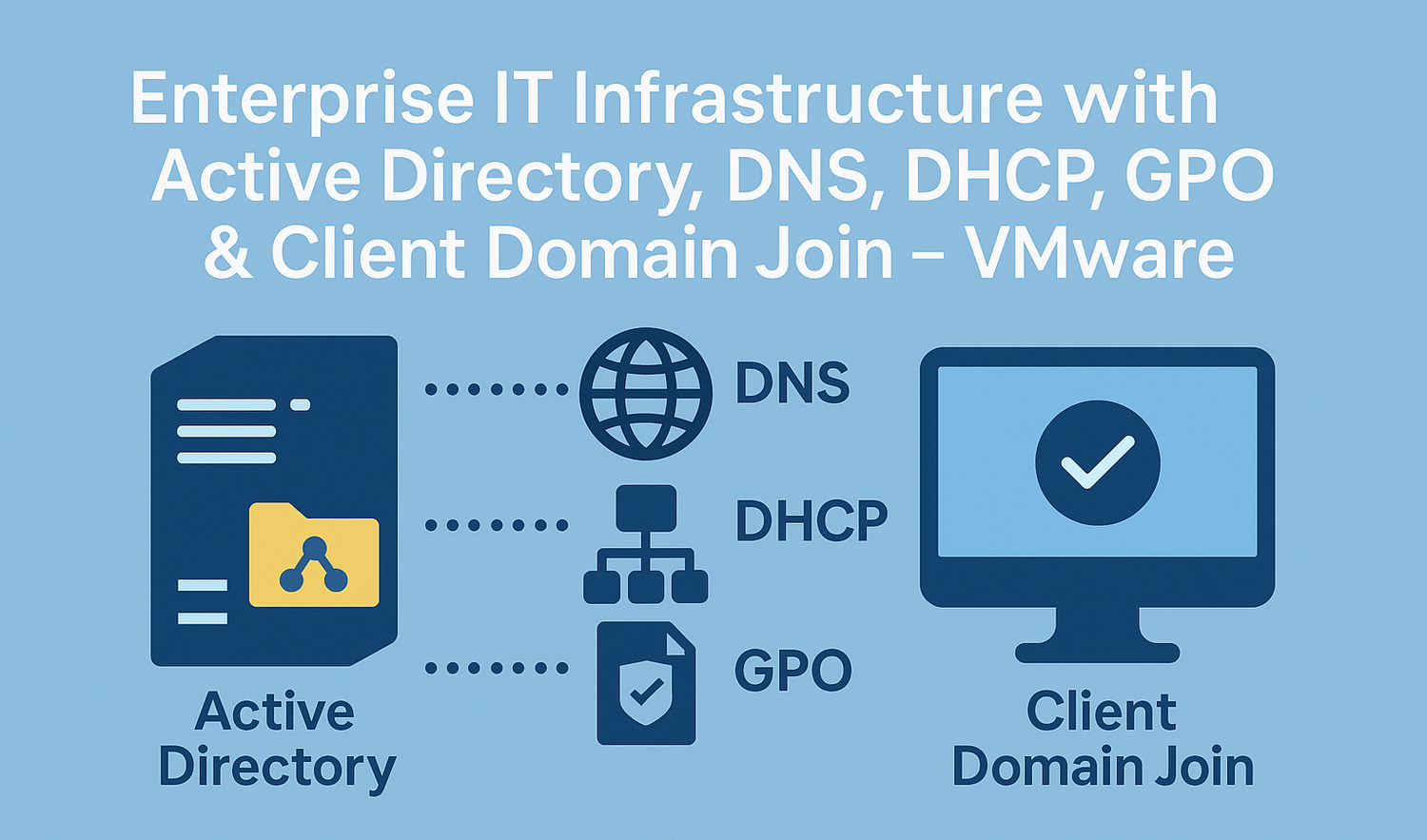
Enterprise IT Infrastructure with Active Directory, DNS, DHCP, GPO & Client Domain Join – VMware
Project Overview
The purpose of this project was to deploy a small business IT infrastructure using Windows Server 2019/2022 and Windows 10 clients in a virtualized environment (VMware Workstation).
The goal is to implement a fully functional Active Directory Domain Services (AD DS) environment, complete with DNS, DHCP, user accounts, Group Policy Objects (GPOs), and PowerShell automation.
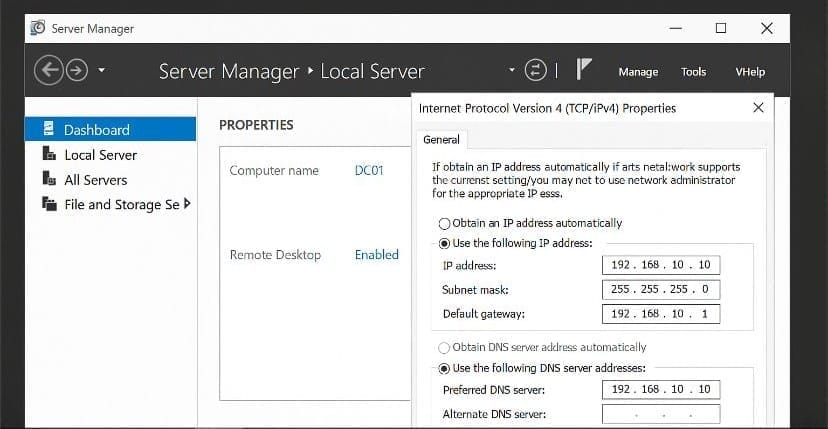
Step 1 – Configure Windows Server
Goal: Prepare the server for domain controller promotion.
Actions:
Set static IP: 192.168.10.10
Subnet: 255.255.255.0 / Gateway: 192.168.10.1
DNS: 192.168.10.10
Rename PC to DC01
Enable Remote Desktop
Install VMware Tools
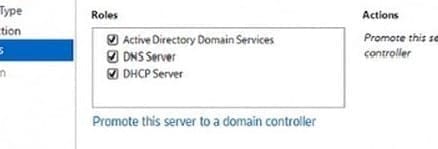
Step 2 – Promote Server to Domain Controller
Goal: Deploy Active Directory, DNS and DHCP.
Actions:
Open Server Manager ➜ Add roles:
✅ AD DS
✅ DNS Server
✅ DHCP Server
Promote this server to a domain controller
Create new forest: entreprise.local
Reboot after promotion
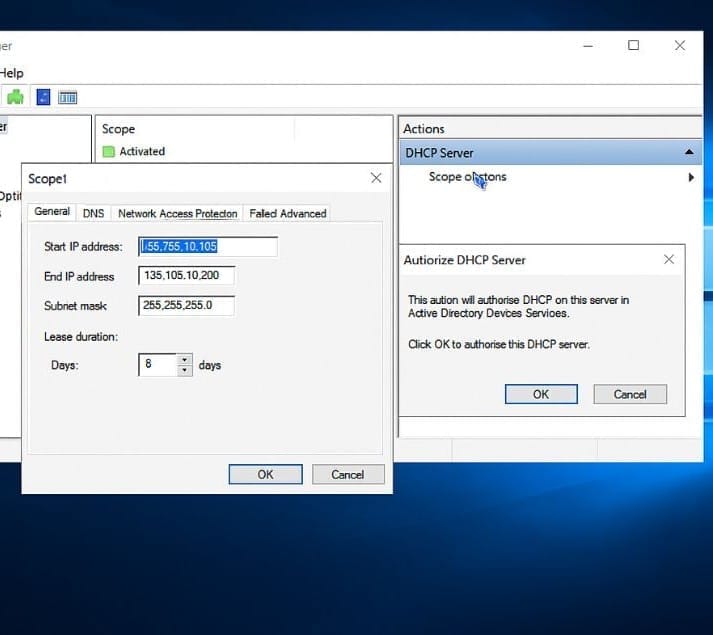
Step 3 – Configure DHCP
Goal: Enable automatic IP assignment for clients.
Actions:
Open DHCP Manager
Create IPv4 scope:
Range: 192.168.10.100 – 192.168.10.200
DNS: 192.168.10.10
Gateway: 192.168.10.1
Authorize the DHCP server
Activate the scope
Step 4 – Configure DNS
Goal: Ensure name resolution in the domain.
Actions:
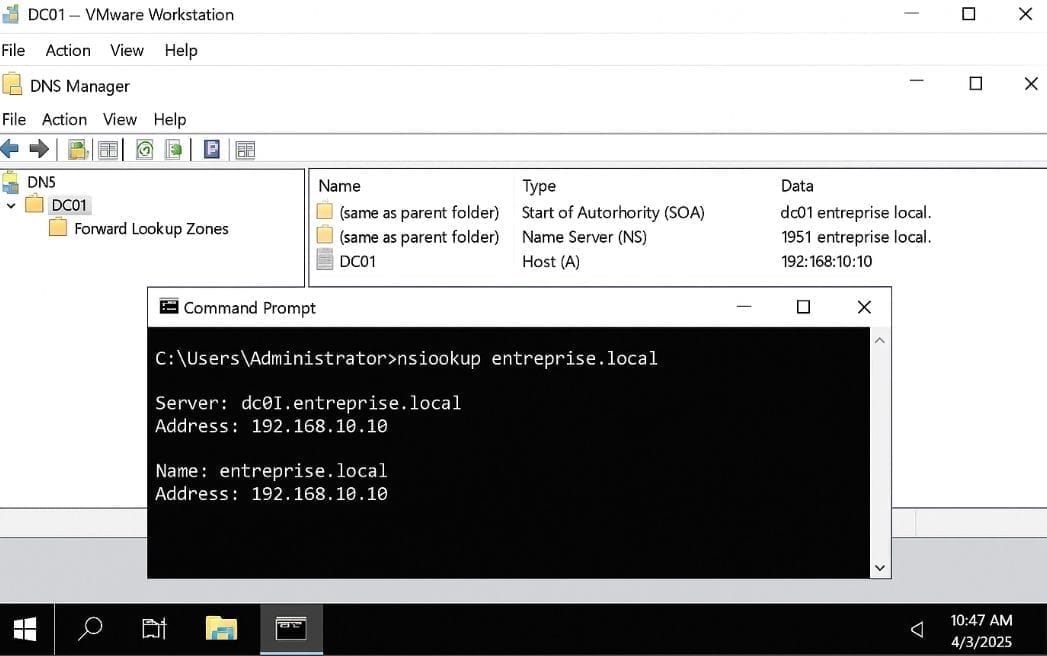
Open DNS Manager
Check that entreprise.local zone exists
Verify A record for DC01
Use nslookup entreprise.local to test
Step 5 – Create Organizational Unit + Users
Goal: Create AD structure for employees.
Actions:
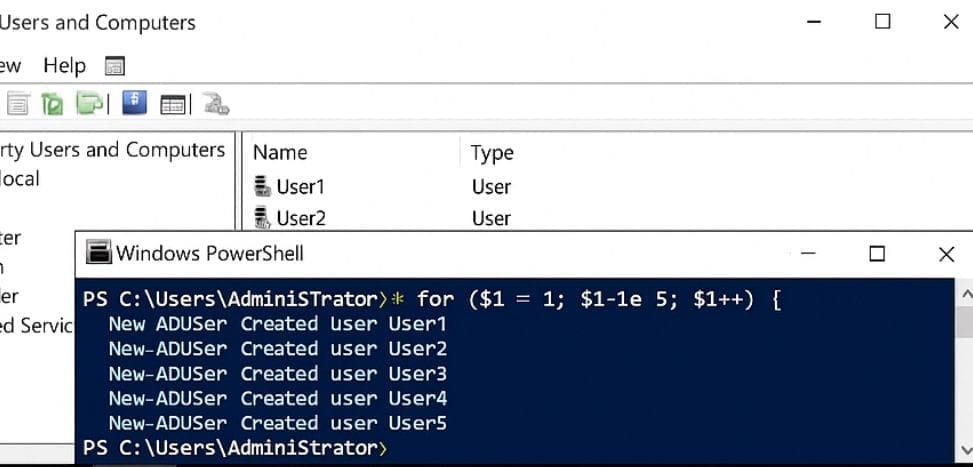
Open ADUC
Create OU: Staff
Create users manually or via PowerShell:
for ($i=1; $i -le 5; $i++) { New-ADUser -Name "User$i" -SamAccountName "user$i" -AccountPassword (ConvertTo-SecureString "Passw0rd!" -AsPlainText -Force) -Enabled $true -Path "OU=Staff,DC=entreprise,DC=local" }
Step 6 – Create Client VM and Join Domain
Goal: Connect PC01 to entreprise.local domain.
Actions:
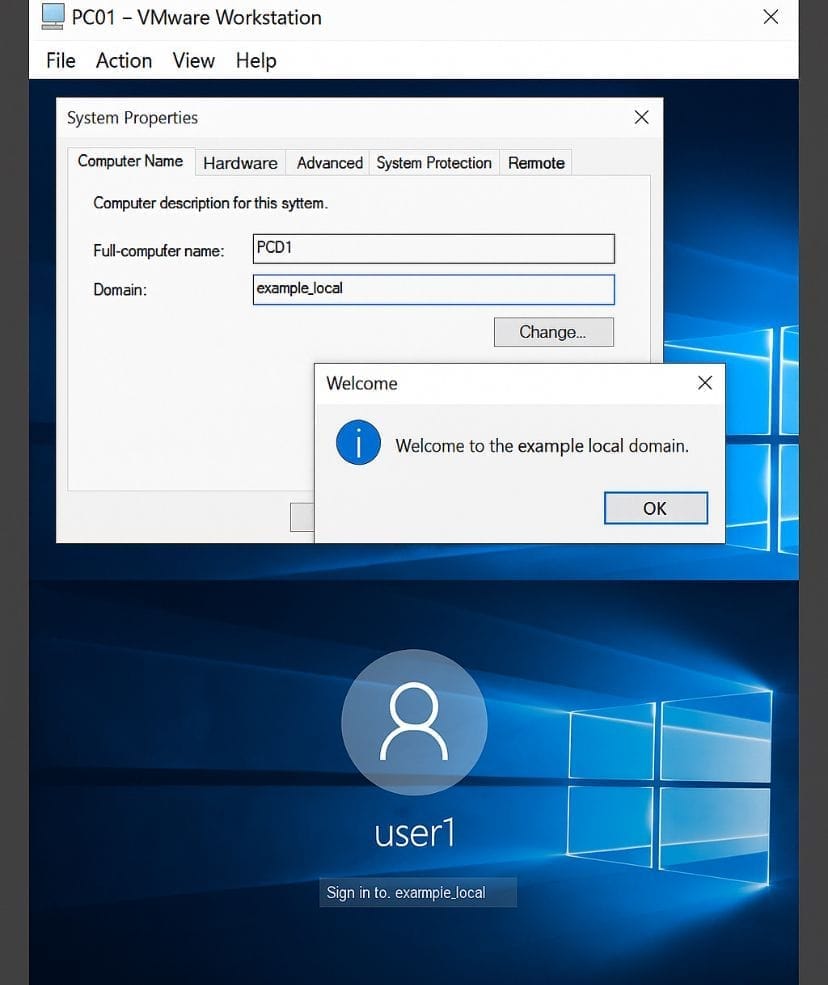
Create Windows 10 VM (same network)
Set DHCP IP
Rename to PC01
Join domain: entreprise.local
Use domain admin credentials
Reboot ➜ login as user1
Step 7 – Test and Validate Setup
Goal: Make sure all services are running properly.
Actions:
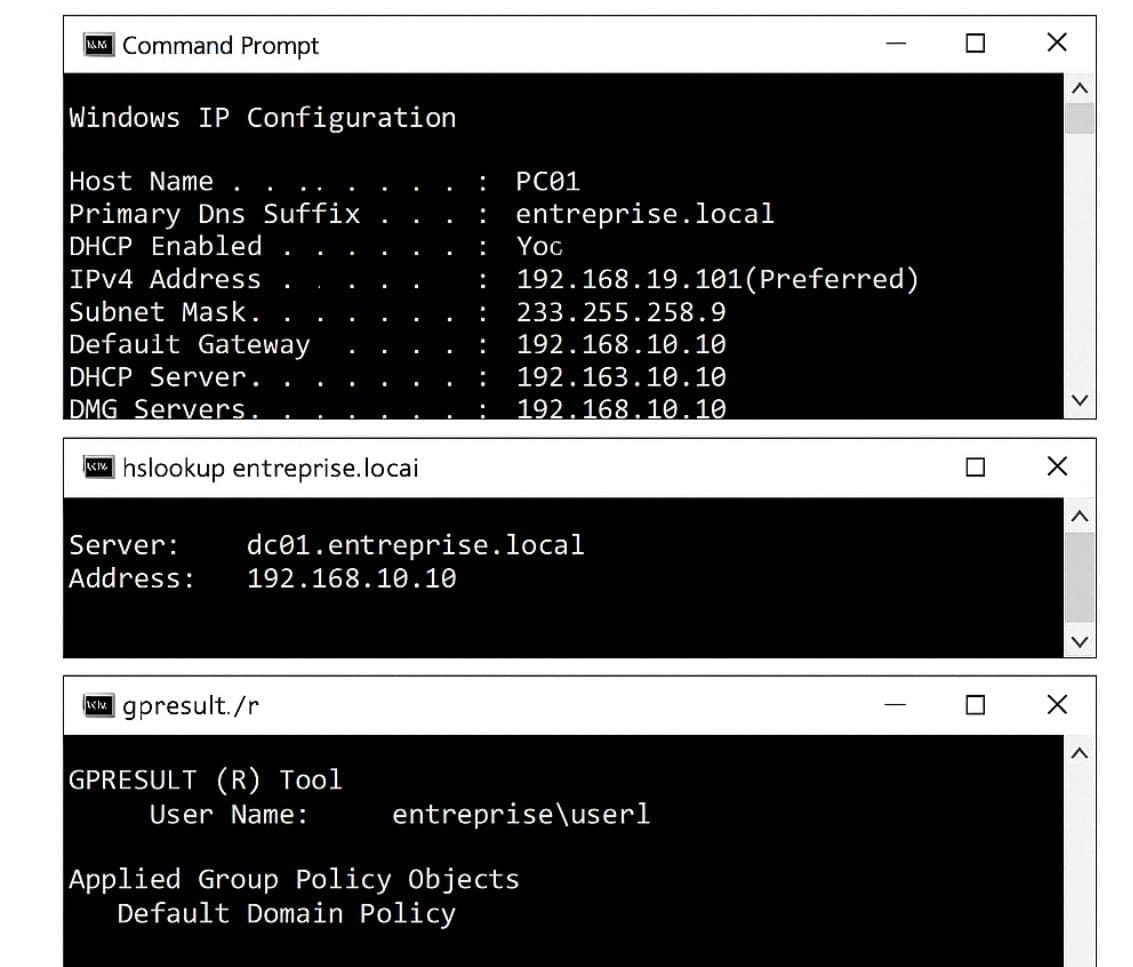
On PC01, run:
ipconfig /all ➜ confirm DHCP
nslookup entreprise.local ➜ confirm DNS
gpresult /r ➜ confirm GPO (for next project)
Project Supervision & Mentorship
This project was completed under the mentorship and supervision of:
• Eric Mulumba – Senior IT Specialist with 15+ years of expertise in system architecture and enterprise security.
• Elie William Mbayabo – Technical Support Engineer at Check Point Software Technologies, with professional experience in network security and IT operations.
Working under their guidance allowed me to strengthen my technical skills, apply industry best practices, and deliver a solution that reflects real-world enterprise standards.
Popular Projects
What is Cloud Computing ?
Cloud computing delivers computing resources (servers, storage, databases, networking, and software) over the internet, allowing businesses to scale and pay only for what they use, eliminating the need for physical infrastructure.
AWS: The most popular cloud platform, offering scalable compute, storage, AI/ML, and networking services.
Azure: A strong enterprise cloud with hybrid capabilities and deep Microsoft product integration.
Google Cloud (GCP): Known for data analytics, machine learning, and open-source support.
