

Advanced Group Policies for Departmental Security and Access Control
Project Overview
The purpose of this project was to implement fine-grained Group Policy Objects (GPOs) based on departments (e.g., HR, Finance), using Active Directory Organizational Units (OUs) and security filtering.
You will configure:
USB access restrictions
Login scripts
Folder redirection
GPO security scope per OU
🎯 Goal: Protect company resources, segment security by department, and automate user environment configuration via Group Policy.
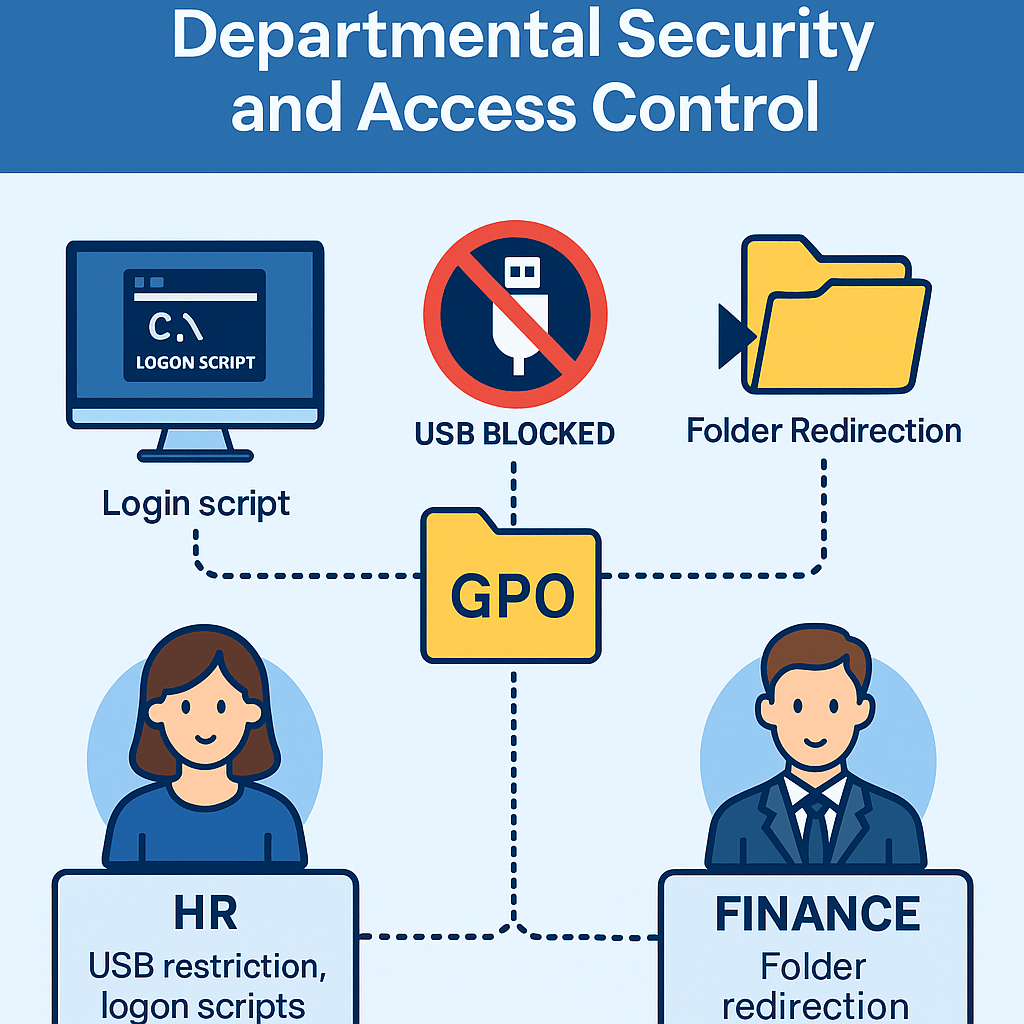
This project continues from the domain entreprise.local created in Project 1.
Two departments will be simulated:
HR (Human Resources)
Finance
Users and computers will be placed in separate OUs.
VMware Workstation is used for virtualization.
Project Supervision & Mentorship
This project was completed under the mentorship and supervision of:
• Eric Mulumba – Senior IT Specialist with 15+ years of expertise in system architecture and enterprise security.
• Elie William Mbayabo – Technical Support Engineer at Check Point Software Technologies, with professional experience in network security and IT operations.
Working under their guidance allowed me to strengthen my technical skills, apply industry best practices, and deliver a solution that reflects real-world enterprise standards.
Step 1 – Create Departmental OUs
Goal: Organize users and computers by department.
Actions:
Open Active Directory Users and Computers (ADUC)
Create OUs:
OU=HR
OU=Finance
Move relevant users to each OU
Example:user1, user2 ➜ HR
user3, user4 ➜ Finance
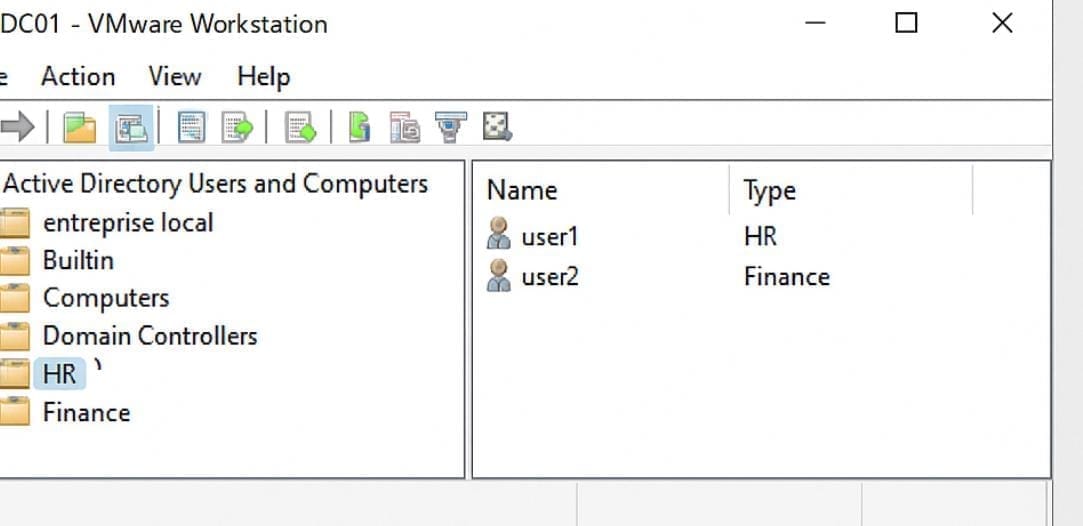
Step 2 – Create and Link Departmental GPOs
Goal: Apply specific rules to each department.
Actions:
Open Group Policy Management
Create 2 new GPOs:
GPO_HR_Security
GPO_Finance_Security
Link each GPO to its respective OU
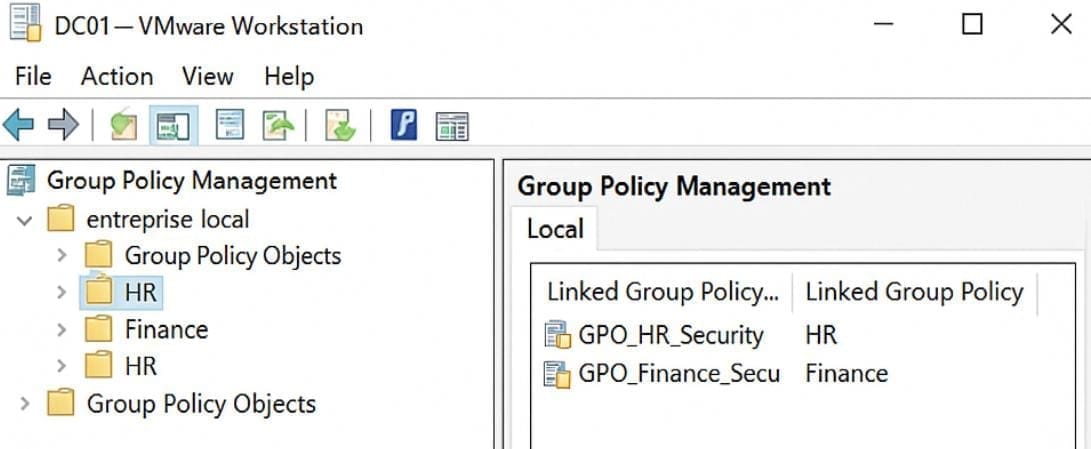
Step 3 – Configure GPO: HR (USB Restriction)
Goal: Block USB storage access for HR users.
Actions:
Edit GPO_HR_Security
Go to:
Computer Configuration ➜ Policies ➜ Administrative Templates ➜ System ➜ Removable Storage AccessEnable:
All Removable Storage classes: Deny all access
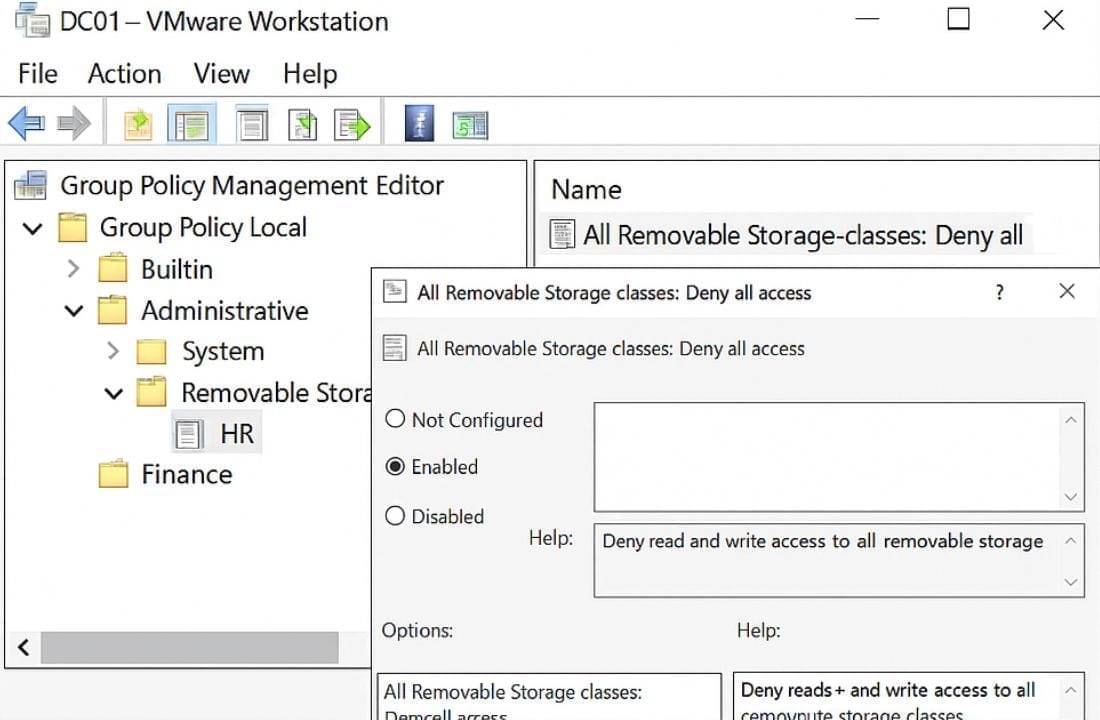
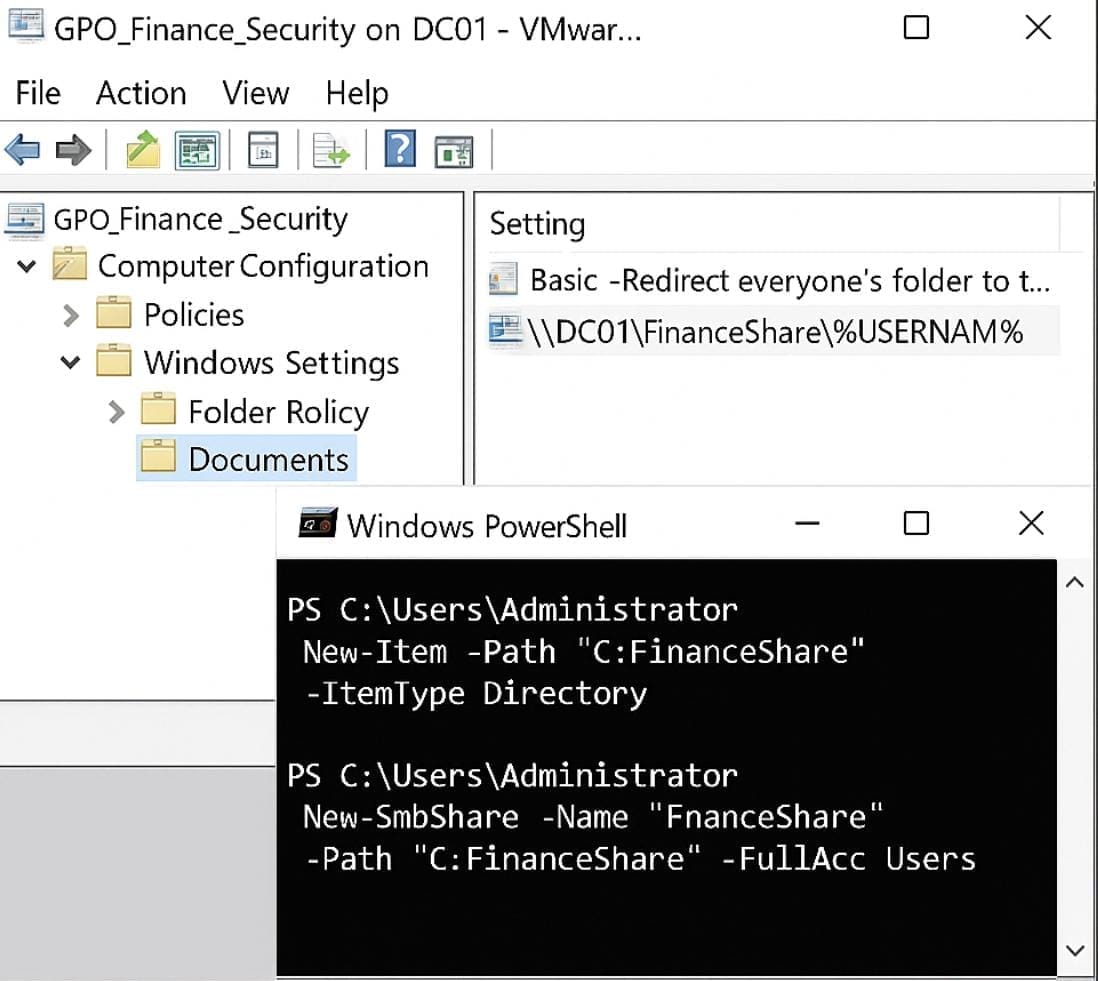
Step 4 – Configure GPO: Finance (Folder Redirection)
Goal: Redirect user documents to a network share.
Actions:
Edit GPO_Finance_Security
Go to:
User Configuration ➜ Policies ➜ Windows Settings ➜ Folder Redirection ➜ DocumentsRedirect to:
\\DC01\FinanceShare\%USERNAME%
📝 Create and share the folder on DC01:
New-Item -Path "C:\FinanceShare" -ItemType Directory
New-SmbShare -Name "FinanceShare" -Path "C:\FinanceShare" -FullAccess "Finance Users"
Step 5 – Create a Logon Script for HR
Goal: Display a custom welcome message at login.
Actions:
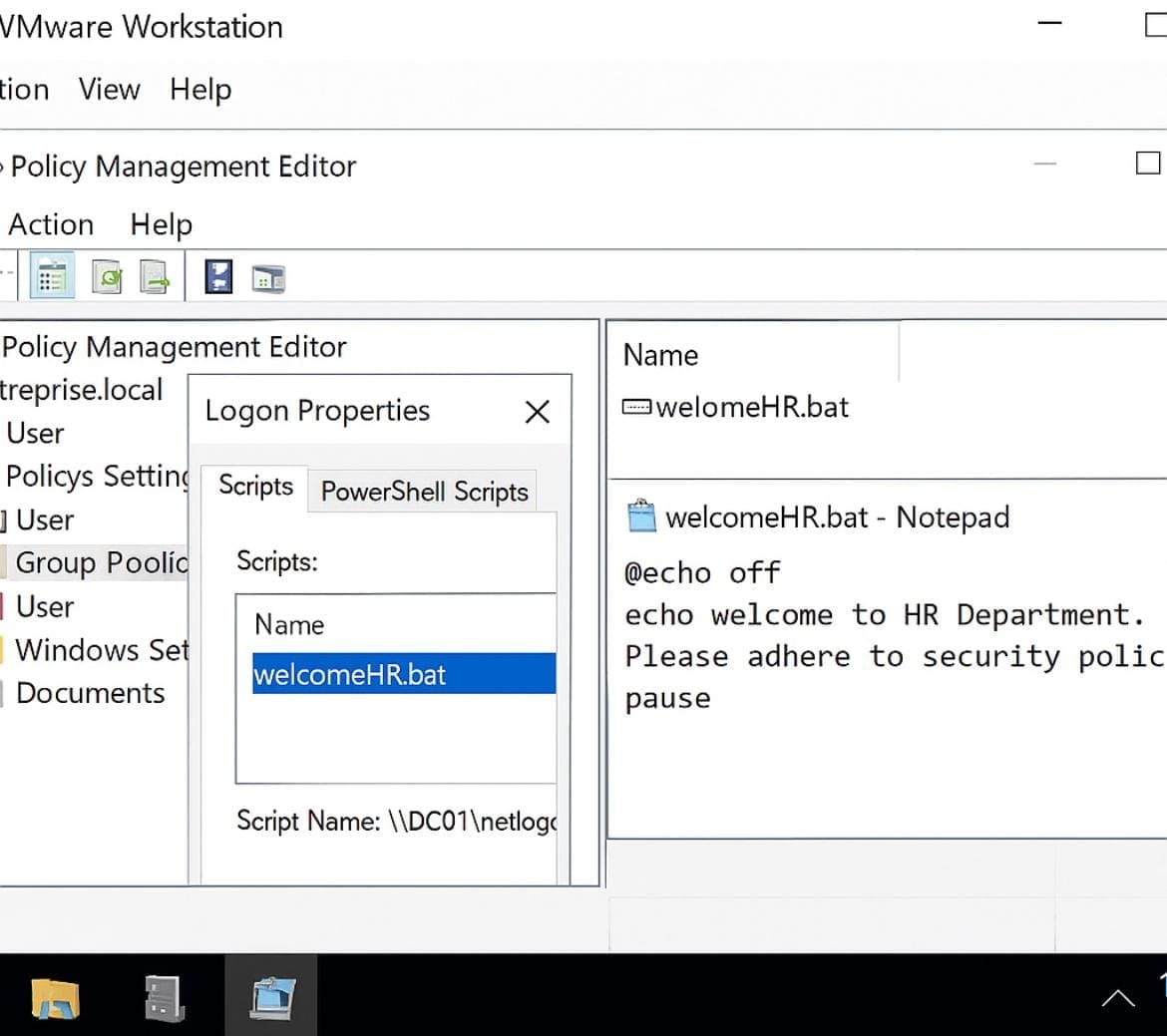
Create a script welcomeHR.bat:
bat
@echo off echo Welcome to HR Department. Please adhere to security policies. pause
Place the script in \\DC01\netlogon
Edit GPO_HR_Security ➜
User Configuration ➜ Windows Settings ➜ Scripts (Logon/Logoff) ➜ Add script
Step 6 – Test GPOs on Client VM
Goal: Validate that the right policies apply per department.
Actions:
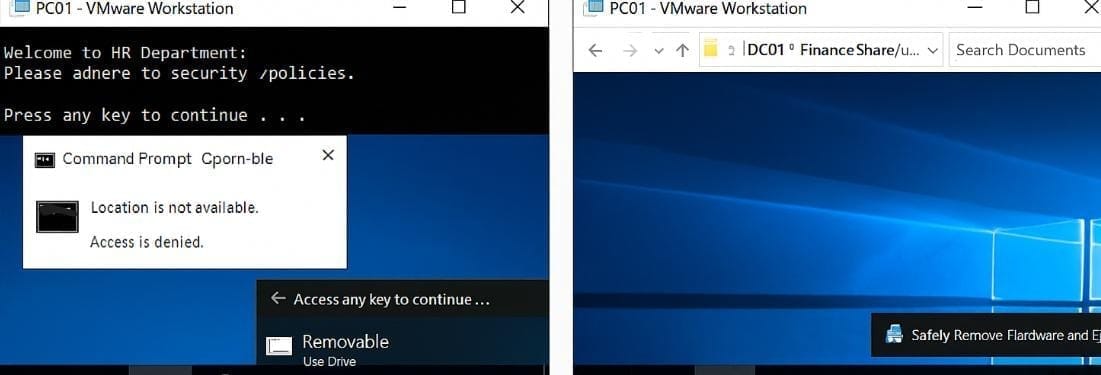
Log in on PC01 as a user from HR (e.g., user1)
Verify USB devices are blocked
Welcome message displays at login
Log in as a Finance user (e.g., user3)
Documents folder is redirected to network share
USB still works (not blocked)
🔒Security Policies Applied
Department : HR & Finance GPO Rule : Deny USB access, show login script, Redirect Documents folder to share
⚙️ Automation Tips
You can use PowerShell to bulk move users:
Get-ADUser -Filter {Name -like "user*"} | Move-ADObject -TargetPath "OU=HR,DC=entreprise,DC=local"
Run gpupdate /force after GPO edits
Conclusion
This project demonstrates how to design department-level IT policies using GPO, enabling real-world security enforcement such as:
USB lockdown
Login-based automation
Redirection of sensitive files
Separation of concerns per OU
These are standard enterprise practices used by real system administrators in companies with centralized infrastructure.
Popular Projects
What is Cloud Computing ?
Cloud computing delivers computing resources (servers, storage, databases, networking, and software) over the internet, allowing businesses to scale and pay only for what they use, eliminating the need for physical infrastructure.
AWS: The most popular cloud platform, offering scalable compute, storage, AI/ML, and networking services.
Azure: A strong enterprise cloud with hybrid capabilities and deep Microsoft product integration.
Google Cloud (GCP): Known for data analytics, machine learning, and open-source support.
